Barcode
Since Camel 2.14
The Barcode data format is based on the zxing library. The goal of this component is to create a barcode image from a String (marshal) and a String from a barcode image (unmarshal). You’re free to use all features that zxing offers.
Dependencies
To use the barcode data format in your camel routes, you need to add a dependency on camel-barcode which implements this data format.
If you use maven, you could just add the following to your pom.xml, substituting the version number for the latest & greatest release (see the download page for the latest versions).
<dependency>
  <groupId>org.apache.camel</groupId>
  <artifactId>camel-barcode</artifactId>
  <version>x.x.x</version>
</dependency>
Barcode Options
The Barcode dataformat supports the following options which are listed below.
| Name | Default | Java Type | Description |
|---|---|---|---|
|
| Barcode format such as QR-Code. MAXICODE, RSS_14, RSS_EXPANDED and UPC_EAN_EXTENSION cannot be written by marshal, as there is no encoder for them; unmarshal reads the format of the image. Enum values:
| |
|
| Image type of the barcode such as png. Enum values:
| |
|
| Width of the barcode. | |
|
| Height of the barcode. |
Message Body
The message body at each side of the Barcode data format: Marshal input and Unmarshal input are the bodies marshal and unmarshal can take, and Marshal output and Unmarshal output the body after them.
| Side | Body | Description |
|---|---|---|
Marshal input |
| The text to encode: bytes, a stream or a file are read in the charset of the exchange. It must suit the barcodeFormat, such as digits only for EAN-13. |
Marshal output |
| The image of the barcode, a PNG unless imageType is JPG or GIF, in the stream cache, or a byte array when stream caching is off. |
Unmarshal input |
| An image ImageIO reads, such as PNG, JPEG or GIF, of any barcode format ZXing reads, whatever barcodeFormat is. |
Unmarshal output |
| The text of the barcode, with the format found in the BarcodeFormat header and the ZXing result metadata, such as ORIENTATION, as headers. |
The bodies are the ones with the default options. A side that is not listed is not known, and tooling does not guess it. The carriers are described in the Camel Catalog.
Usage
In Java, you first create an instance of the barcode data format class. You can use the default constructor, or one of parameterized (see JavaDoc). The default values are:
| Parameter | Default Value |
|---|---|
image type (BarcodeImageType) | PNG |
width | 100 px |
height | 100 px |
encoding | ISO-8859-1 (the ZXing default), or UTF-8 when the text has characters that ISO-8859-1 cannot represent. A |
barcode format (BarcodeFormat) | QR-Code |
// QR-Code default
DataFormat code = new BarcodeDataFormat();
If you want to use ZXing hints, you can use the 'addToHintMap' method of your BarcodeDataFormat instance:
code.addToHintMap(DecodeHintType.TRY_HARDER, Boolean.TRUE);The hints can be added before the data format is started (for example when the route is configured). To remove a hint, such as a default one, use the 'removeFromHintMap' method. The maps returned by 'getWriterHintMap' and 'getReaderHintMap' are read-only. For possible hints, please consult the ZXing documentation.
Marshalling
-
Java
-
YAML
from("direct://code")
  .marshal(code)
  .to("file://barcode_out");
- route:
from:
uri: direct://code
steps:
- marshal:
barcode:
barcodeFormat: QR_CODE
imageType: PNG
width: 100
height: 100
- to:
uri: file://barcode_outYou can call the route from a test class with:
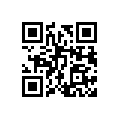
template.sendBody("direct://code", "This is a testmessage!");You should find inside the 'barcode_out' folder this image:
Unmarshalling
The unmarshaller is generic. For unmarshalling, you can use any BarcodeDataFormat instance. If you’ve two instances, one for (generating) QR-Code and one for PDF417, it doesn’t matter which one will be used.
-
Java
-
YAML
from("file://barcode_in?noop=true")
  .unmarshal(code) // for unmarshalling, the instance doesn't matter
  .to("mock:out");
- route:
from:
uri: file://barcode_in
parameters:
noop: true
steps:
- unmarshal:
barcode: {}
- to:
uri: mock:outIf you’ll paste the QR-Code image above into the 'barcode_in' folder, you should find `This is a testmessage!` inside the mock. You can find the barcode data format as header variable:
| Name | Type | Description |
|---|---|---|
BarcodeFormat | String | Value of com.google.zxing.BarcodeFormat. |
If you’ll paste the code 39 barcode that is rotated some degrees into the 'barcode_in' folder, You can find the ORIENTATION as header variable:
| Name | Type | Description |
|---|---|---|
ORIENTATION | Integer | rotate value in degrees . |