Set Body
Camel supports the Message Translator from the EIP patterns.
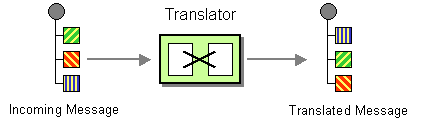
The Message Translator can be done in different ways in Camel:
-
Using template-based Components, with the template being the source for how the message is translated
-
Messages can also be transformed using Data Format to marshal and unmarshal messages in different encodings.
This page is documenting the first approach by using Set Body EIP.
Options
The Set Body eip supports the following options which are listed below.
| Name | Description | Default | Type |
|---|---|---|---|
note | The note for this node. | String | |
description | The description for this node. | String | |
disabled | Whether to disable this EIP from the route during build time. Once an EIP has been disabled then it cannot be enabled later at runtime. | false | Boolean |
expression | Required The expression whose result is used as the new message body. | ExpressionDefinition |
Message Body
The message body at each side of the Set Body EIP: EIP input is the body it needs, EIP output the body after it, and Steps the body its own steps start with.
| Side | Body | Description |
|---|---|---|
EIP input | what its expression reads | |
EIP output | the result of its expression | The result of the expression, in the language of the expression. |
The bodies are the ones with the default options. A side that is not listed is not known, and tooling does not guess it. The carriers are described in the Camel Catalog.
Examples
You can use a Set Body which uses an Expression to do the transformation:
In the example below, we prepend Hello to the message body using the Simple language:
-
Java
-
XML
-
YAML
from("direct:cheese")
    .setBody(simple("Hello ${body}"))
    .to("log:hello");
<route>
<from uri="direct:cheese"/>
<setBody>
<simple>Hello ${body}</simple>
</setBody>
<to uri="log:hello"/>
</route>- route:
from:
uri: direct:cheese
steps:
- setBody:
expression:
simple:
expression: "Hello ${body}"
- to:
uri: log:helloWhat is the difference between Transform and Set Body?
The Transform EIP always sets the result on the OUT message body.
Set Body sets the result accordingly to the Exchange Pattern on the Exchange.